
Keyboard shortcuts
Work faster with the keyboard — reply, assign, archive, and navigate without touching the mouse.
Power users work in Elvo almost entirely from the keyboard. Shortcuts turn the most common actions into a single keystroke, so you move through the inbox faster.
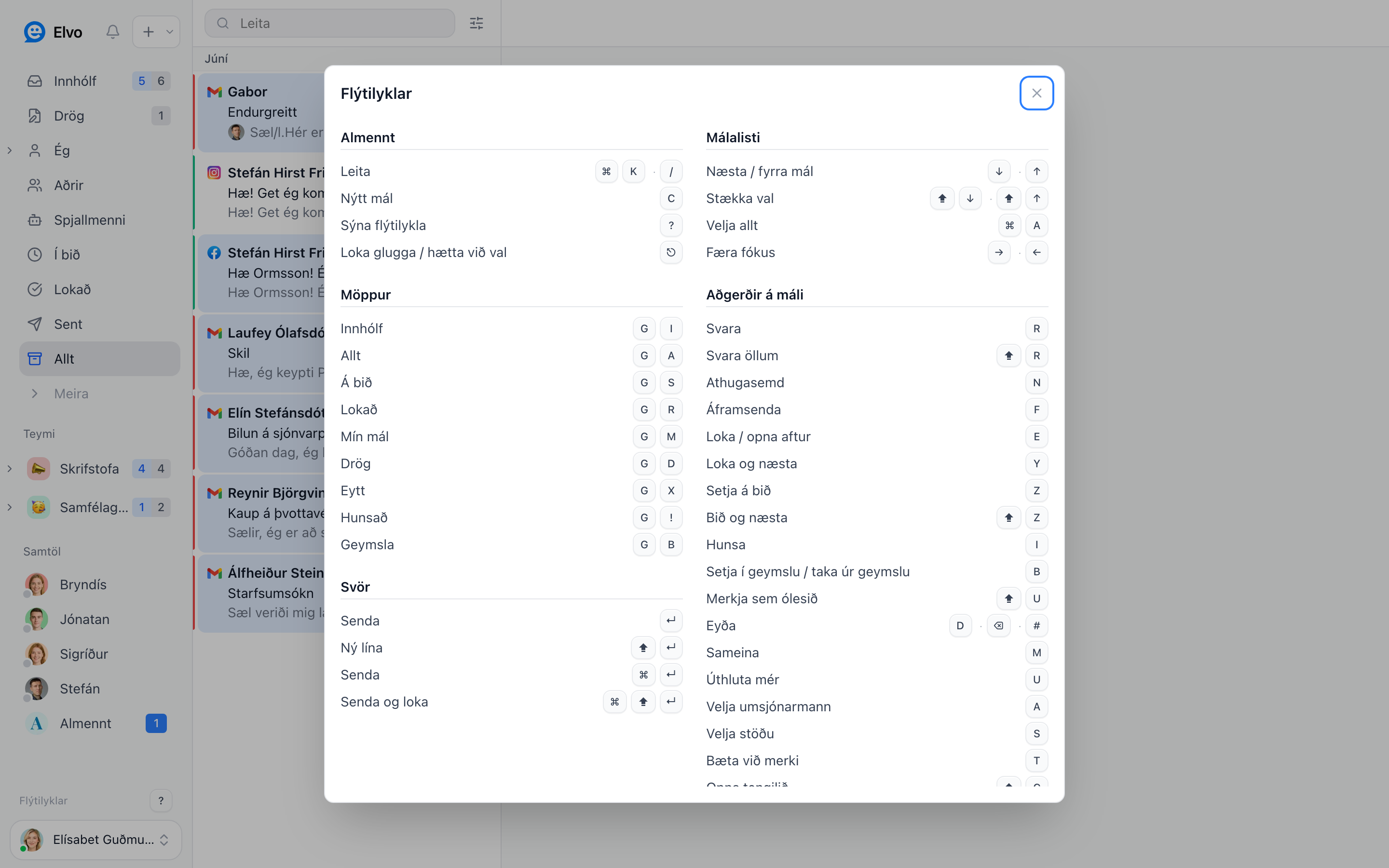
Open the overview
Press ? anywhere in Elvo to see all the shortcuts. You can also open it from the bottom of the
sidebar.
Useful shortcuts
- Search —
⌘Kor/ - Reply —
R· Reply all —⇧R - Note —
N· Forward —F - Snooze —
Z· Archive —B· Resolve / close —Y - Next / previous ticket —
J/K - Assign to me —
A· Set status —S
FAQ
Do shortcuts work while I'm typing? Composing shortcuts (like ⌘↵ to send) work in the reply
box; action shortcuts work when the ticket list or ticket is focused.
Can I see the full list? Yes — ? shows the whole overview any time.