
Teams & collaboration
Organize people into teams that share an inbox, and work tickets together with assignment, internal notes, and team chat.
Teams are groups of people who share an inbox — e.g. Office or Social. Each team has its own channels and members, so the right tickets land with the right people and everyone on the team has full visibility.
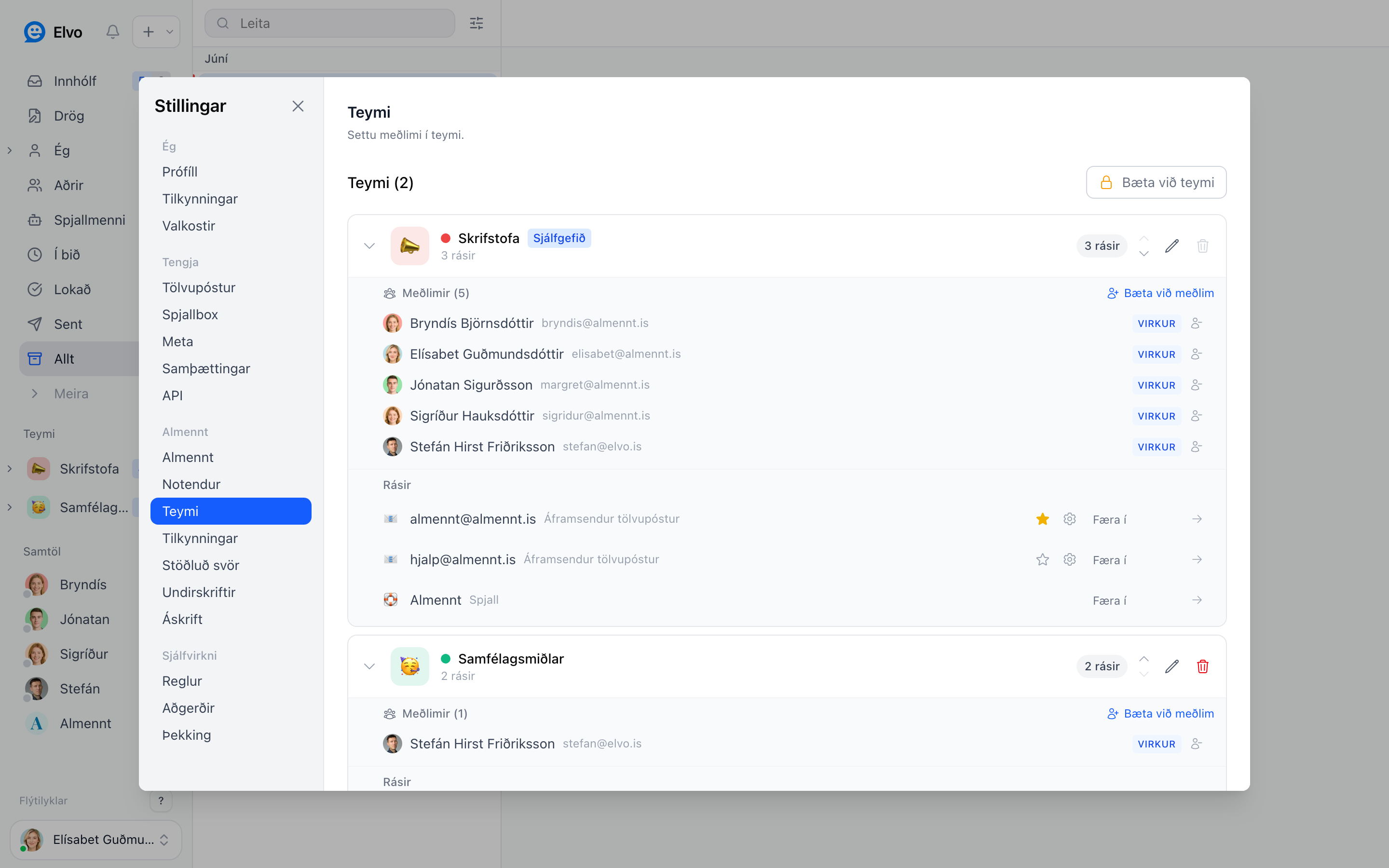
Create a team
- Open Settings → Teams and click Add team.
- Give it a name (e.g. Support or Accounting).
- Add channels — email addresses or the chat widget — so everything sent there shows up in the team.
- Add members.
Each team gets its own folder in the sidebar, so members can focus on their tickets.
Members and visibility
Add colleagues to a team with Add member. Tickets in a team are visible to all its members, so anyone can step in if the owner is busy or away. That way no ticket gets stuck with one person.
Collaborating on tickets
- Assignment — decide who's responsible for each ticket, so no double work or gaps.
- Internal notes — discuss tickets with
@-mentions right in the ticket without the customer seeing. See Replying to customers. - Team chat — the team's internal chat for things not tied to a specific ticket, e.g. general messages or questions.
Tip
Tie each email address to the team that should answer it, then new staff immediately see the right tickets without you assigning by hand.
FAQ
Can a person be in more than one team? Yes — add them to as many teams as needed.
Do customers see the teams or notes? No. Teams, assignment, and internal notes are entirely internal — the customer only sees the replies you send.
Who can create teams? Company admins in Elvo.