Meta (Facebook & Instagram)
Connect your Facebook and Instagram pages so messages and comments arrive straight in Elvo.
Connect Meta so direct messages (DMs) and comments from your Facebook and Instagram pages arrive straight in Elvo as tickets — and you answer them in the same place as email and chat, with the same overview and tools.
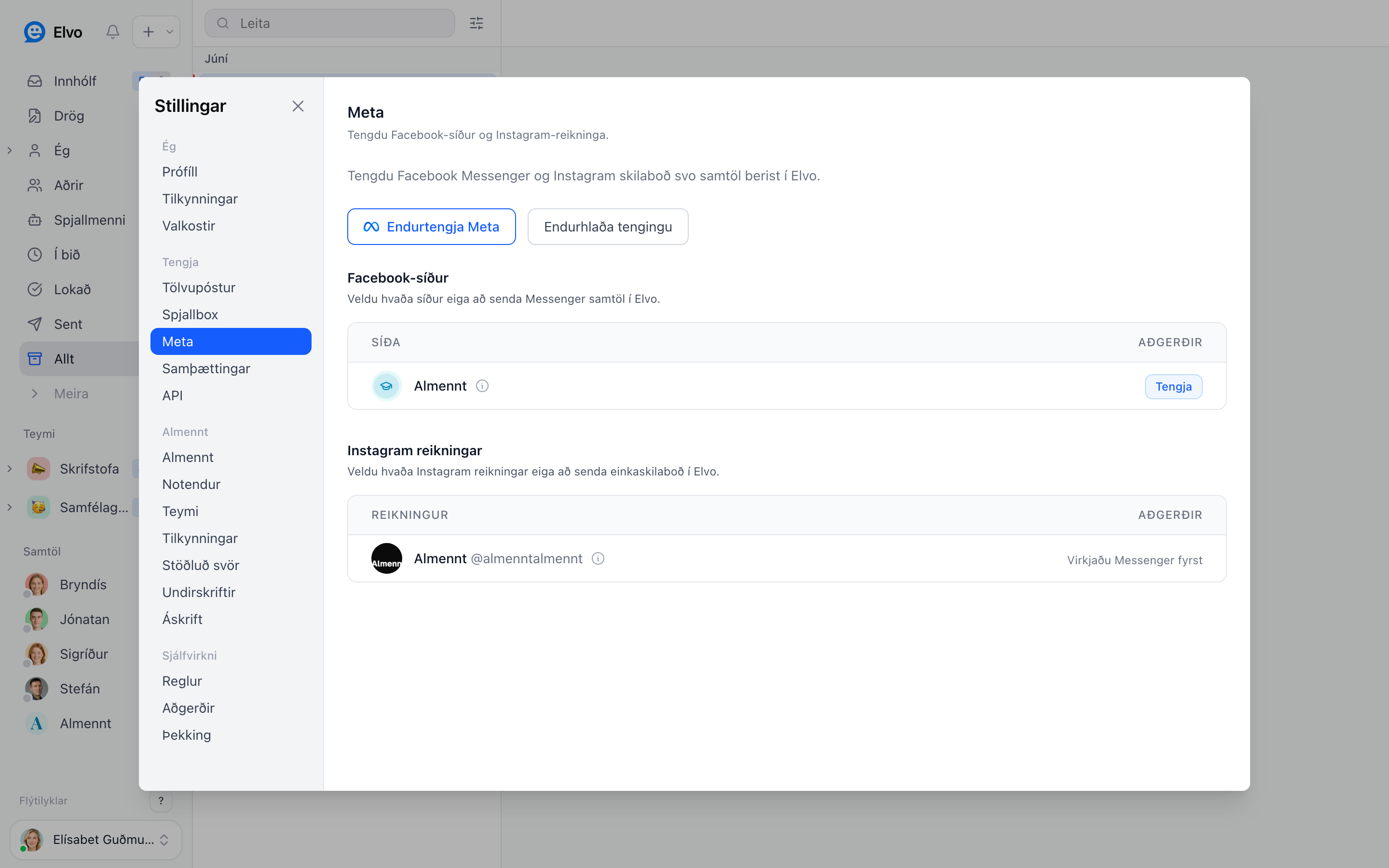
1. Connect Meta
Open Settings → Meta and click to connect. You sign in with Facebook and choose the pages — and linked Instagram accounts — you want to bring into Elvo. You must be an admin of the page to grant access.
2. What comes in
- Direct messages (DMs) on Facebook Messenger and Instagram.
- Comments on posts, after setup.
Each conversation becomes a ticket in your inbox and you reply like any other. Replies go out in the page's name, not your personal name.
FAQ
Can I connect more than one page? Yes — select all the pages and Instagram accounts you want to handle in Elvo.
Does the AI answer Meta messages? Yes, if a knowledge base is set up; otherwise they go straight to your team.
What if the connection drops? Meta requires re-authorizing permissions periodically; a reminder appears in Settings → Meta.